Fast barcode billing, VAT invoices, WhatsApp bills, a due book that reminds your customers, stock, branches and reports — on the shop computer, on your phone and online.
Supermarket, mobile shop, computer shop, clothing or any other business that sells — GPOS fits the way you work.
Fast barcode billing, stock and expiry dates, offers and the due book.
Sell phones and accessories, take repairs, buy used phones with the seller’s ID.
Quotations, A4 VAT invoices, repair and service jobs, supplier purchases.
Barcode stickers, quick billing, returns and exchanges, loyalty points.
Products in English and Arabic, nice receipts with your logo, WhatsApp bills.
Expiry dates, stock alerts, supplier bills and daily reports.
Touch-screen quick buttons, customer display and QR code orders.
Quotations, credit sales with pay-by dates and big A4 invoices.
Receive items with a slip and barcode, follow every job until it is ready.
Thousands of items with barcodes, labels, stock and purchase records.
Customer dues, supplier payments, branches and staff logins.
Quick price buttons, cash or due, and the day’s sales on your phone.
Tap a card to see the real screens and what each part does.
One clear screen for the cashier: products on the left, the bill in the middle, payment on the right. It works the same with a USB barcode scanner, a mouse or a touch screen.
Design your receipt once and every sale prints the same way. Send the bill to the customer’s WhatsApp as a PDF, straight from the till.
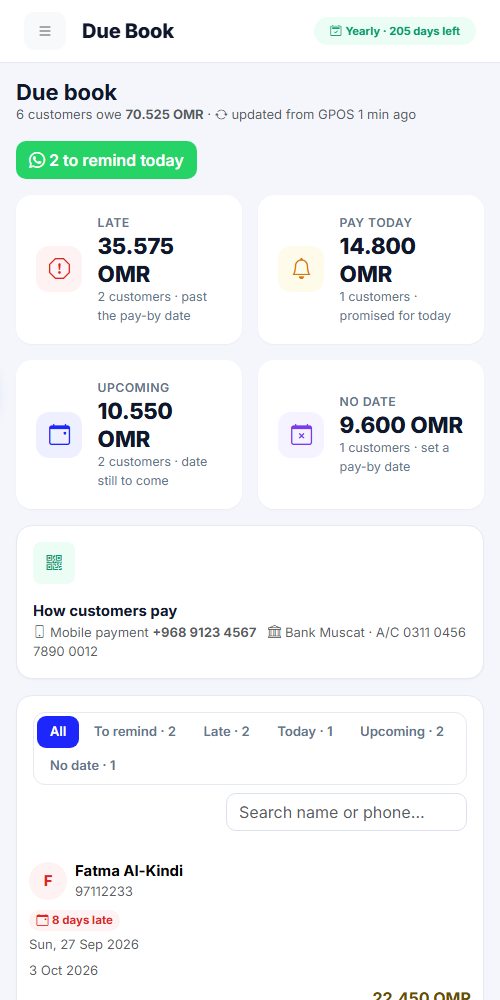
Write the bill to the customer’s due book with a pay-by date. On that day GPOS reminds you, and one tap sends the customer a polite WhatsApp reminder with how to pay.
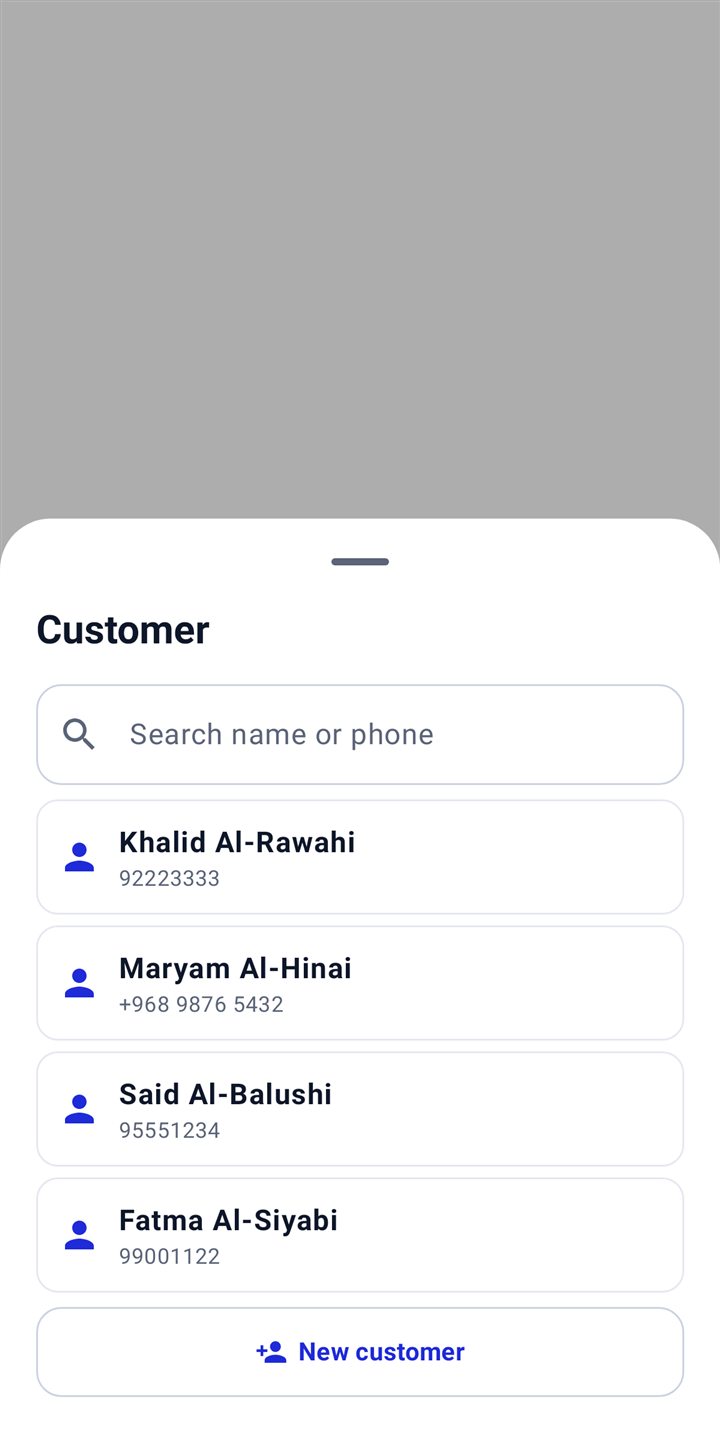
Keep every customer with their phone number. Loyalty points are earned on each purchase and can be used as a discount on the next bill.
Scan the barcode on the receipt, choose what comes back, and GPOS does the rest: stock goes back, the money is refunded or taken off the customer’s due.
Payouts and service work are recorded separately from sales, so the end-of-day cash always matches.
Every sale, return and purchase updates the stock. Products have English and Arabic names, their own VAT, a cost price and expiry dates.
Scan the goods as they arrive and the stock is updated in one go. Pay the supplier now or later — GPOS keeps every supplier’s account, and the owner sees it on the website too.
Choose products, choose the label size and print barcode stickers with name and price on any label printer.
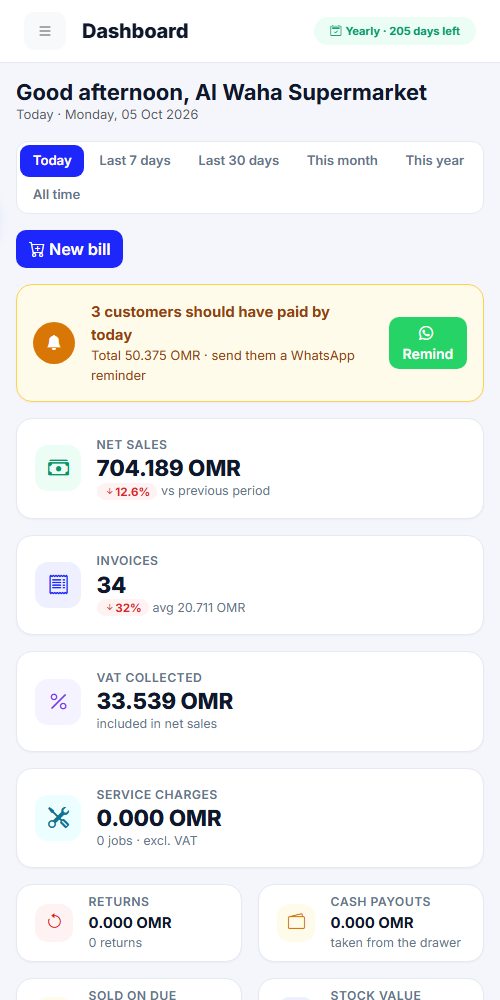
See today, the last days, the month or the year: sales, invoices, VAT, returns, payouts, dues and the cash that should be in the drawer.
Each branch logs in with its own email and PIN, and its sales stay separate. Cashiers get their own PIN; sensitive actions need the admin.
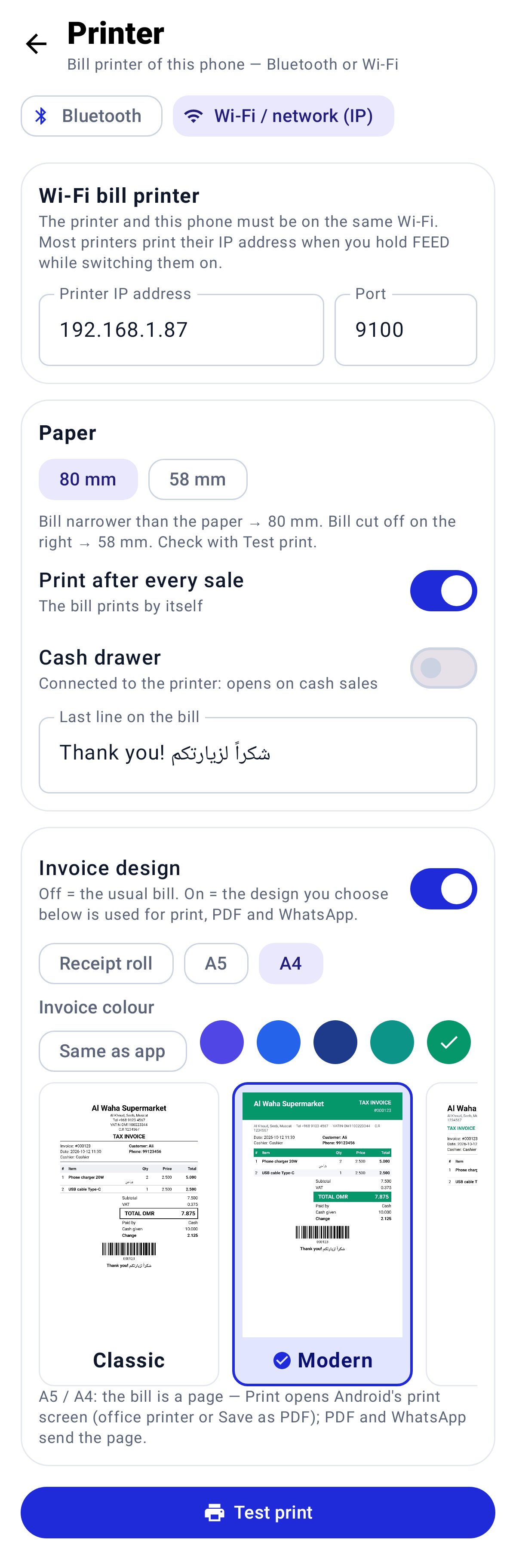
GPOS talks directly to thermal printers, the cash drawer and customer displays.
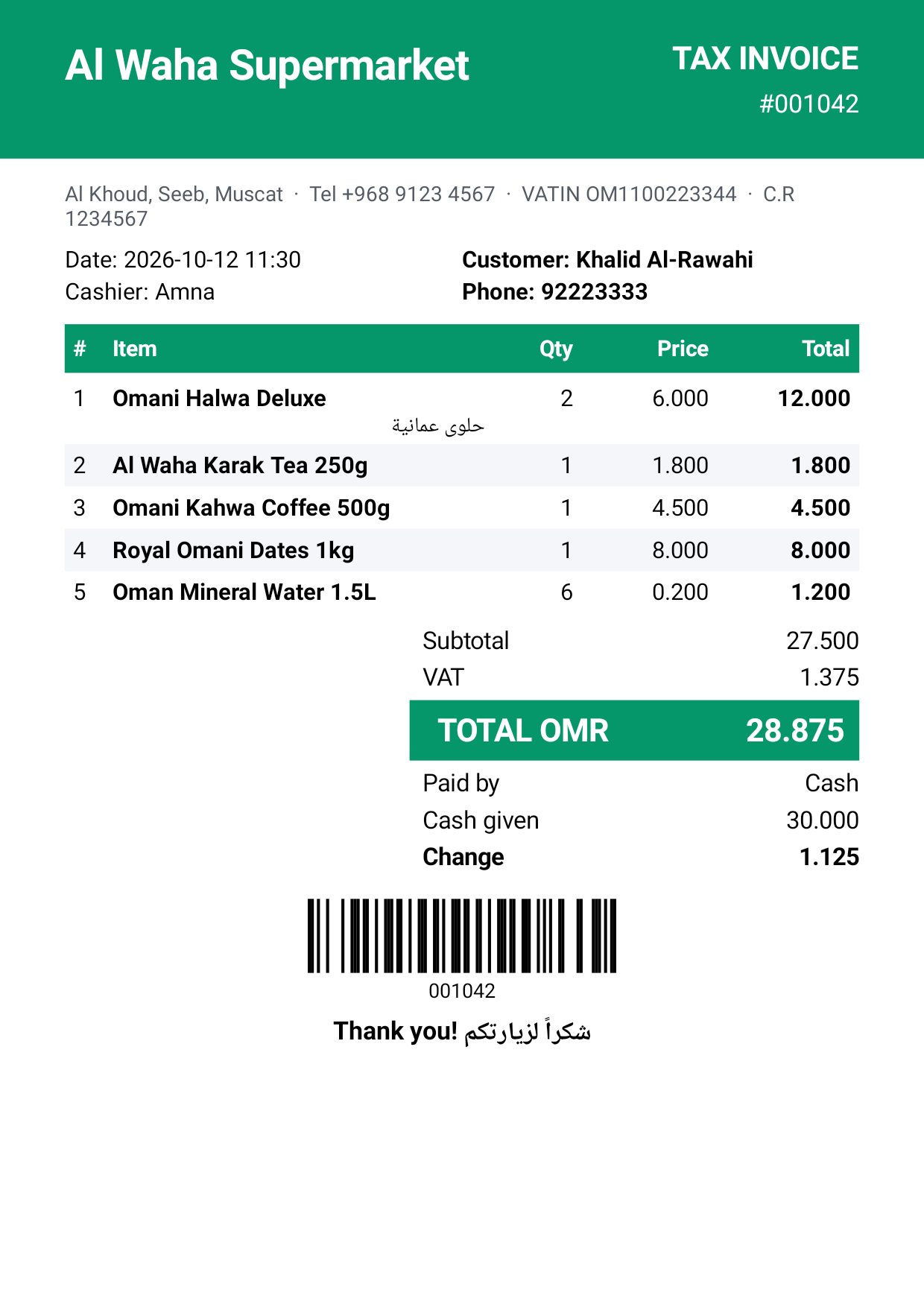
Pick a design once — every printed bill, PDF and WhatsApp invoice uses it, on the shop computer and on the phone. Your logo is printed faintly behind the invoice.
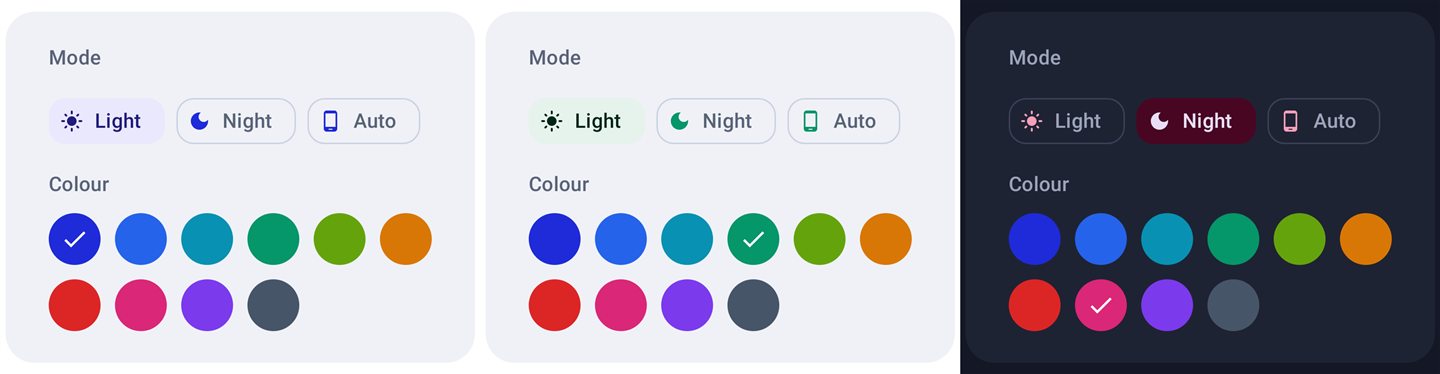
One tap at the top of the screen changes the whole app: light or night mode, and the main colour you like best. Your shop logo sits softly in the background so every screen feels like your own.
Pick the items, choose the discount and GPOS draws a ready poster with your logo, prices and the last day. Print it, post it on WhatsApp Status, or send it to your customers one by one. A QR code on the poster opens your own order page — customers choose items and order, and you are told at once.
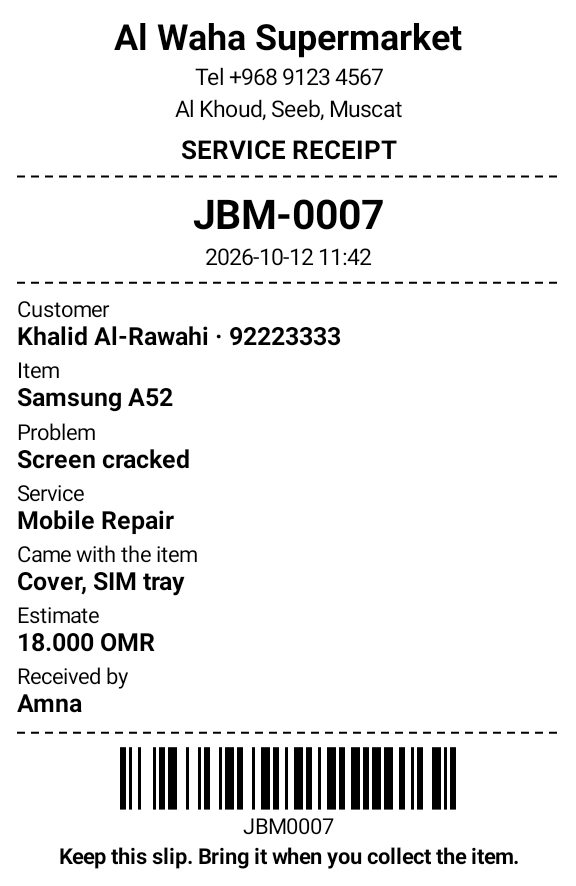
For mobile, computer and printer repair shops: write down what came in, with photos, and give the customer a slip with a job number and barcode. Scan the barcode later to open the job and make the bill.
Connect your shop camera and GPOS takes a picture the moment an order is paid, then e-mails it to you with the bill number, the cashier, the items and the total. The cash drawer and printing are never delayed.
Every screen is available in English, Arabic (right-to-left) and Bengali. Each cashier can switch with one tap; receipts can show English and Arabic together.
Sign in on this website with your GPOS email. Everything the shop computer sells appears here, and changes you make here go back to the shop computer within a minute.


The GPOS Android app signs in with the same email and password. Check the shop, make a sale or change a price from your phone.


Sales never stop. When the internet is back, everything is sent to the panel automatically.
Sales, products and dues match on the shop computer, the website and the phone.
A new computer must be verified with the owner password and an email code.
GPOS tells you when a new version is ready and installs it in one click.
Start with a free trial. Pay monthly or yearly — upgrade any time.
Install on the shop computer and on your phone. Create your account once — the same login works everywhere. 30 days free.
Download GPOSGPOS is billing and point of sale (POS) software for shops in Oman: fast barcode billing, VAT invoices, WhatsApp bills, a due book, stock, suppliers, quotations and reports — on a Windows computer, an Android phone and online.
Yes. Every new shop gets a free trial with all features. Create an account on this page, download GPOS and start billing in minutes.
Yes. GPOS keeps billing offline on the shop computer and sends everything to your online panel when the internet is back.
Yes. GPOS prints 80mm, 58mm or A4 tax invoices with VAT and sends the bill or a quotation to the customer’s WhatsApp as a PDF.
Supermarkets and grocery shops, mobile phone shops, computer and electronics shops, clothing and saree shops, perfume and gift shops, pharmacies, cafés, hardware stores, repair shops, wholesalers and any other shop that sells items or services.
Yes. Mobile and computer shops sell with barcodes, make quotations and A4 VAT invoices, take repair and service jobs with a slip, and can buy used phones with the seller’s ID.
English, Arabic and Bengali — on the shop computer, the phone app and this website.
Questions, setup help or a subscription: Nasir Group · +968 96121555